


Step

Define Your Target
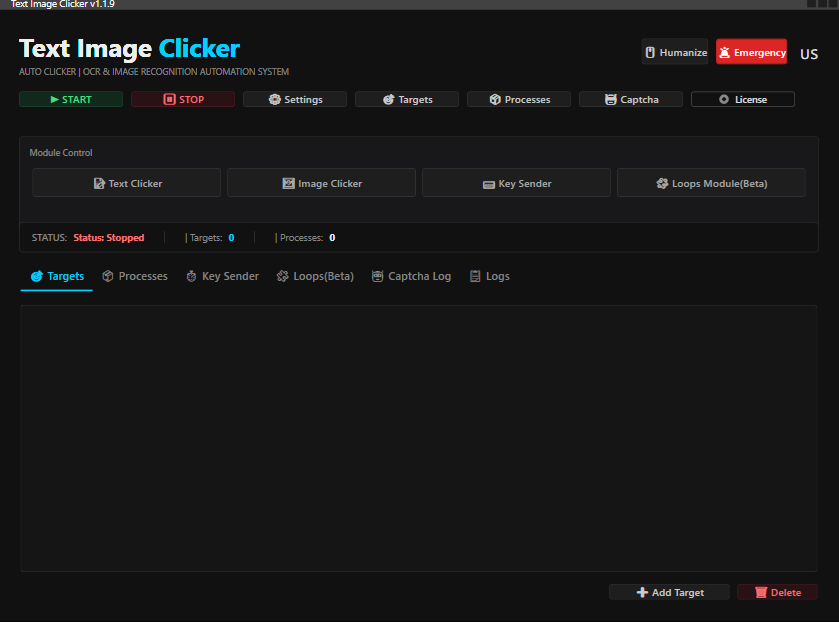
Simply type the text you want to detect or capture a sample image area on your screen. Our advanced OCR and Computer Vision engine identifies your target instantly.
Step

Configure Logic
Set your click intervals, reaction delays, and similarity thresholds. Enable the built-in Captcha Solver or randomize actions to mimic human behavior for safer automation.
Step

Launch Automation
Press "Start" or use your custom hotkey. The software runs silently in the background, detecting targets and executing tasks with millisecond precision while you focus on other things.
Automate Everything You See. The Smartest Text & Image Recognition
Stop wasting time on repetitive tasks. Text Image Clicker (TIC) uses advanced AI-powered OCR and Computer Vision to detect text, recognize images, and execute clicks with millisecond precision. Powered by .NET 8 for maximum performance.
Powerful Configuration Full Control at Your Fingertips.
Text Image Clicker isn't just a simple macro recorder; it's a dynamic automation tool that adapts to your environment. Our comprehensive Settings panel allows you to configure exactly how the program sees and reacts to the screen.
For Image Recognition
Pixel-Perfect Visual Detection.
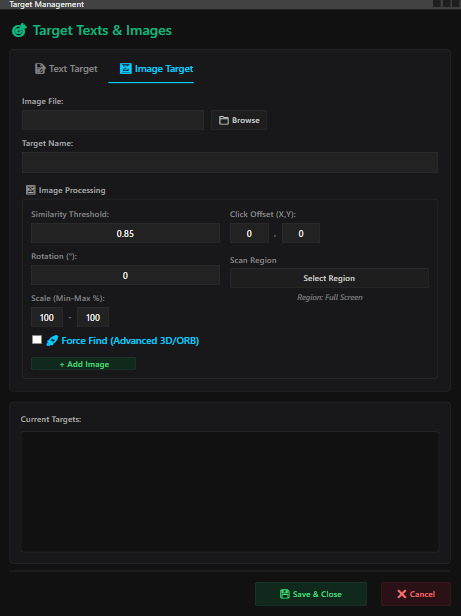
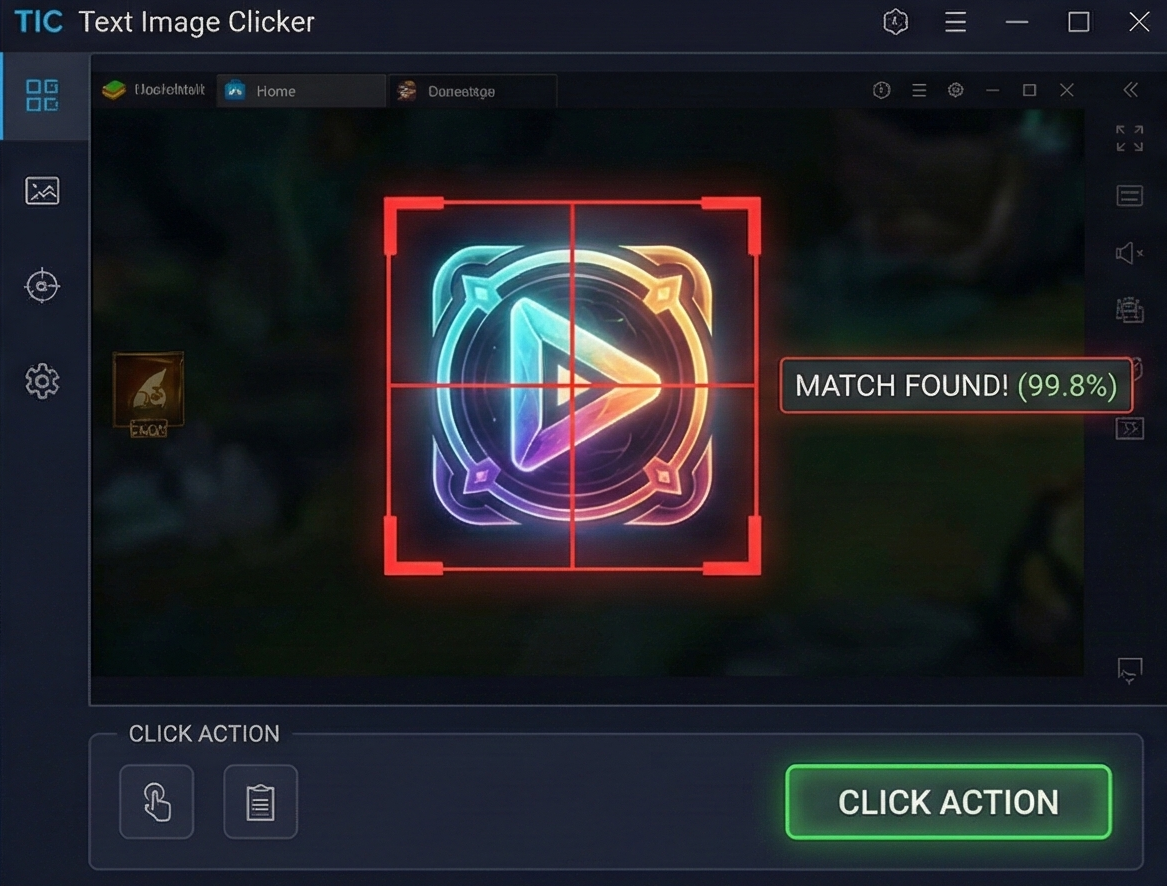
Locate any visual element instantly. With our OpenCV-based Image Search engine, you can define any icon, logo, or button as a target.
-
Finds It Anywhere: The target doesn't need to be in a fixed spot. TIC scans the entire screen and reacts the moment it appears.
-
Adjustable Sensitivity: Control the Similarity Threshold. Set it to strict for exact matches or lower it to detect slightly transparent or changing images.
-
Instant Reaction: Optimized algorithms ensure millisecond response times the moment the image is detected.
For Text Recognition
Reads the Screen, Just Like You.
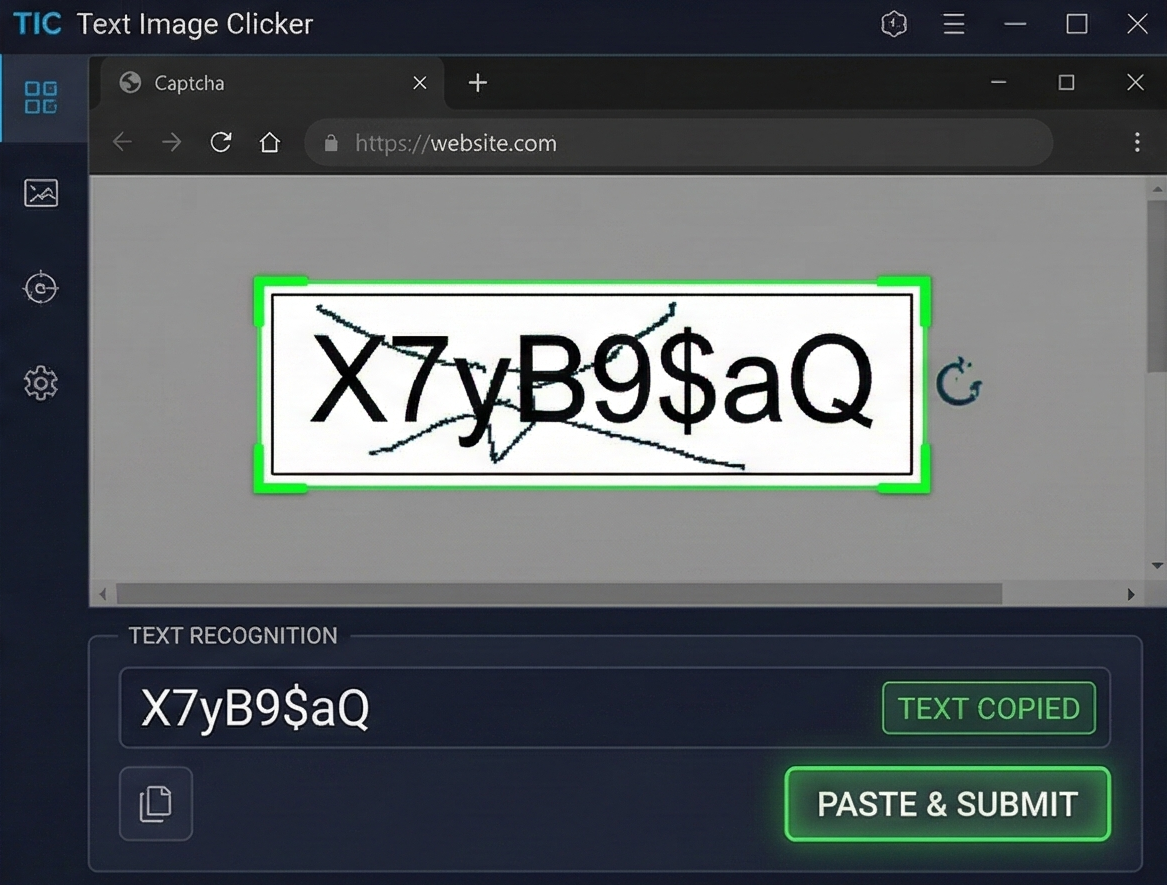
Stop relying on static coordinates. Text Image Clicker uses advanced Optical Character Recognition (OCR) technology to scan and read text on your screen in real-time.
-
Dynamic Detection: Whether a button moves or a window resizes, if the text is there, TIC will find it.
-
Smart Filtering: Search for specific words, numbers, or phrases.
-
High Precision: Powered by the Tesseract engine for maximum reading accuracy, even on complex backgrounds.
FAQ
Frequently Asked Questions
Pay safely, the way you like

